

How to manage inventory offline for small grocery stores
For a small grocery store or supermarket, inventory is everything. It is your cash sitting on the shelves. If you run out of fast-moving items like milk, bread, or popular snacks, you don't just lose that specific sale—you risk losing the customer to the shop down the street. Conversely, overstocking slow-moving items ties up your precious working capital in goods that just gather dust and eventually expire.
The challenge is that tracking thousands of SKUs (Stock Keeping Units) manually is nearly impossible. And while many modern POS systems offer inventory management, they often rely on a constant internet connection. If you are doing an inventory count in the back room where the Wi-Fi doesn't reach, or if your local broadband goes down during a busy day, those cloud-based systems become useless. This is where an offline-first inventory management system becomes a game-changer.
The Flaw in Cloud-Only Inventory
Imagine you are receiving a large shipment of goods from your distributor. You are standing in your stockroom, checking off items and scanning them into your system to update your stock levels. In a cloud-only POS system, every single scan sends a request to a remote server. If your stockroom has poor cell reception or weak Wi-Fi, the app will hang, stutter, or throw error messages.
Worse, if your internet goes down completely during retail hours, your cloud POS stops recording sales against your inventory. When the internet comes back, the system might have missed transactions, leaving your stock levels completely inaccurate. Inaccurate stock levels defeat the entire purpose of having inventory software in the first place.
How Offline-First Inventory Works
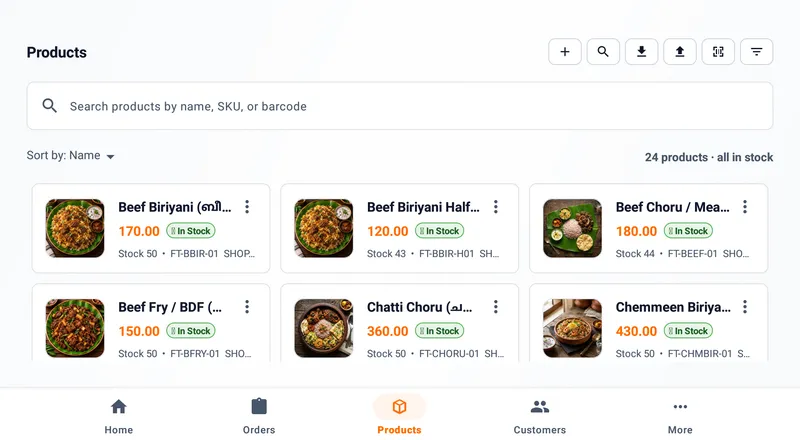
An offline-first system like Dataflee POS stores your entire product catalog and current stock levels locally on your Android device's internal storage. When you sell an item at the counter, the software instantly subtracts it from your local database. When you receive new stock in the back room, you can scan and add items instantly, without waiting for a loading spinner.
Because the data lives on your device, the speed is unparalleled. You can do a rapid stocktake of an entire aisle in minutes, scanning barcodes one after another with zero latency.
Low Stock Alerts That Actually Work
The primary goal of inventory management is to know when to reorder. Dataflee allows you to set minimum stock thresholds for every item. Because the system updates inventory instantly and locally with every offline sale, the moment an item drops below its threshold, the app knows.
You don't have to wait for an end-of-day cloud sync to find out you ran out of a popular brand of rice at 2:00 PM. The local system can immediately flag low-stock items, allowing you to generate an accurate purchase order for your distributor on the spot.
The Power of Background Syncing
While local speed is critical, you still want the safety of cloud backups and the ability to view your inventory from your phone at home. Dataflee achieves this through intelligent background syncing. As soon as your device detects an internet connection, it quietly pushes all your local inventory changes to the secure cloud servers.
If you have multiple devices in your store—say, one at the checkout counter and one in the stockroom—they will sync with each other via the cloud whenever they are online. But if the internet drops, both devices continue to function independently without crashing, ensuring your business never grinds to a halt.
Stop relying on guesswork, manual counting, and fragile cloud software to manage your most valuable asset. Take control of your grocery stock with a system built for speed and reliability. Download Dataflee POS today and experience seamless, offline-first inventory management.